A personal library of Godot shader and visual effects that I started building in 2024 to learn and improve at various technical art and graphics programming skills.
The library focuses on a small handful of technically complex operations.
Examples
Grass
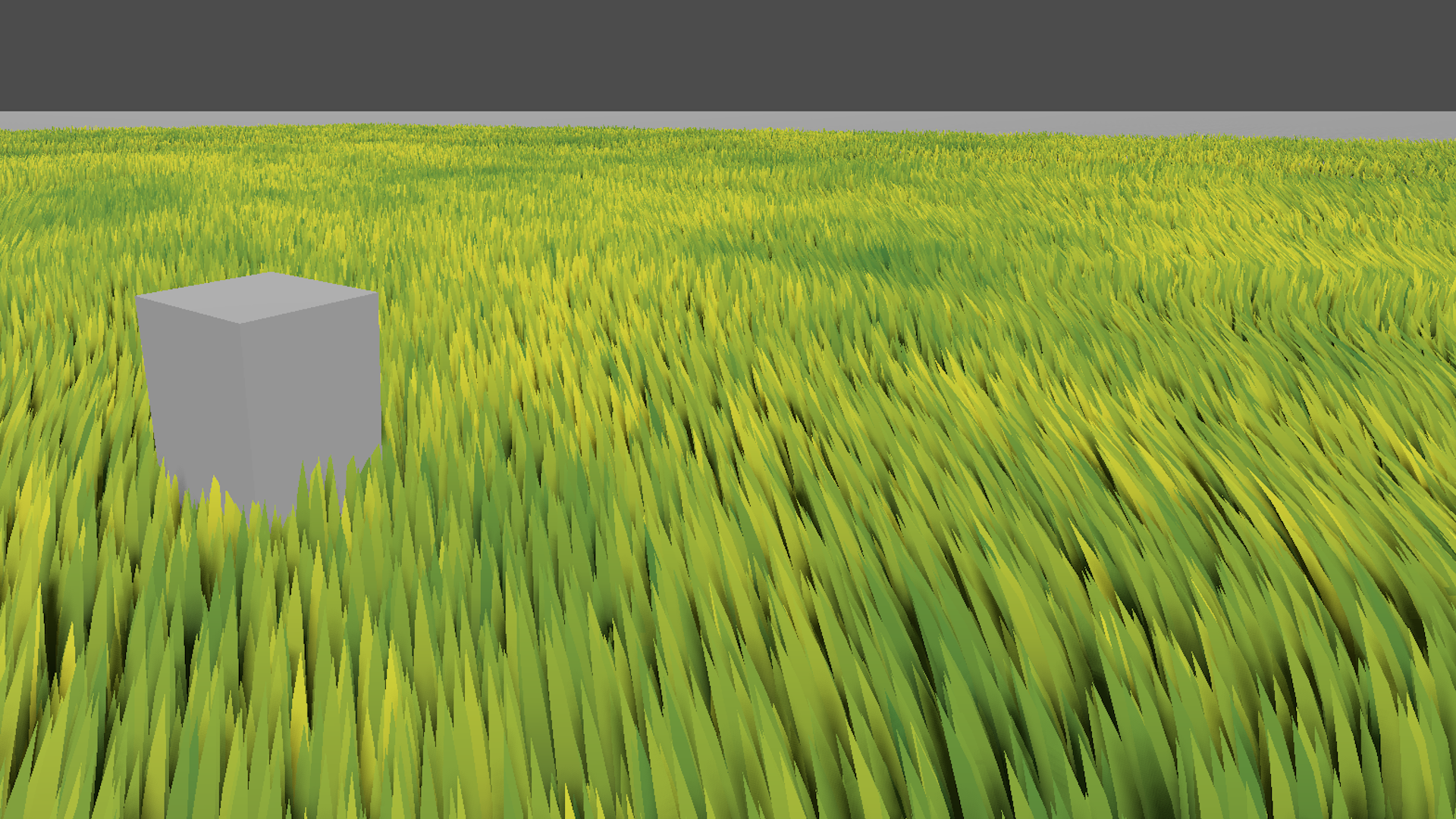
Rendering 10 million blades of procedurally generated grass in real time.
The grass is bundled into a grid of multimesh chunks which update as the player moves around. More distant chunks are assigned fewer blades of grass, creating an LOD effect on foliage density. Each blade is placed using a deterministic noise function ensuring randomization with temporal consistency. The mesh instances are then tapered, curved, colored and animated using vertex and fragment shaders.
Grass Shader Source
shader_type spatial;render_mode cull_disabled, diffuse_toon;
uniform sampler2D HeightColorGradient : source_color, repeat_disable;uniform sampler2D ColorVariationGradient : source_color, repeat_disable;uniform sampler2D ColorVariationNoise;uniform sampler2D WindNoise;uniform vec2 WindScroll;uniform float WindScrollSpeed;uniform float WindStrength;
// Return random float between 0 and 1float rand(vec2 co){    return fract(sin(dot(co, vec2(12.9898, 78.233))) * 43758.5453);}
void vertex() {  // Load the grass origin into color, so it can be used by the vertex shader  COLOR = MODEL_MATRIX[3];
  // Scale Model  VERTEX = VERTEX * vec3(0.8, 1.0, 0.);
  // Modify the size of the grass  float height_mod = 0.5 + 1.0 * rand(MODEL_MATRIX[3].xz);  const float y_weight = 0.8;  const float x_weight = 0.5;  VERTEX.y = VERTEX.y * (1. - y_weight + y_weight * height_mod);  VERTEX.x = VERTEX.x * (1. - x_weight + x_weight * height_mod);
  // Taper the grass towards the top  float grass_width_mod = 0.0 + pow(UV.y, 0.5);  VERTEX.x *= grass_width_mod;
  // Billboard  mat4 billboard_matrix = INV_VIEW_MATRIX;  billboard_matrix[1] = vec4(0.0, 1.0, 0.0, 0.0);  VERTEX = (billboard_matrix * VERTEX.xyzz).xyz;
  // Wind  vec2 normalized_wind_scroll = normalize(WindScroll);  float wind_amount = - 0.3 + 1.3 * texture(WindNoise, normalized_wind_scroll * TIME * WindScrollSpeed + MODEL_MATRIX[3].xz * 0.01f).r;  float vert_height = VERTEX.y - MODEL_MATRIX[3].y;  float wind_affect_height_mod = pow(vert_height, 2);  vec2 wind_xy_mod = wind_amount * -normalized_wind_scroll * WindStrength * wind_affect_height_mod;  VERTEX.xz = VERTEX.xz + wind_xy_mod;  float wind_height_mod_perc = 0.2;  VERTEX.y = VERTEX.y * 1.0/(1.0 - wind_height_mod_perc + wind_height_mod_perc * abs(wind_amount) * 2.0);}
void fragment() {  // Gradient Albedo  ALBEDO = texture(HeightColorGradient, UV.yy).xyz;
  // Randomize Albedo  float variation_noise_value = texture(ColorVariationNoise, COLOR.xz).r * texture(ColorVariationNoise, vec2(0.31, 0.08) + COLOR.xz * 0.01).r;  ALBEDO *= texture(ColorVariationGradient, vec2(variation_noise_value)).rgb;
  if (!FRONT_FACING) NORMAL = -NORMAL;}
Procedural Fire / UV Warping
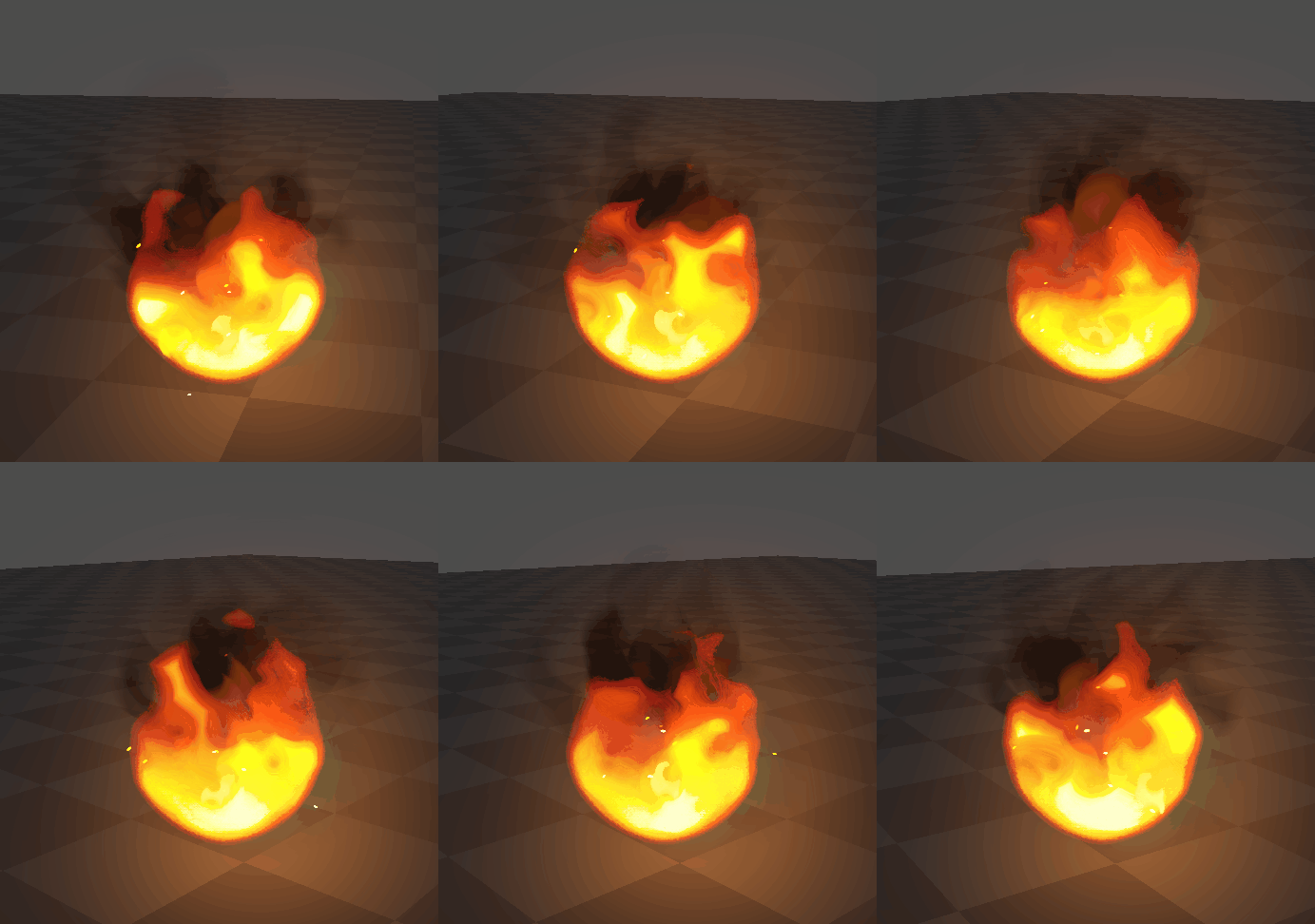
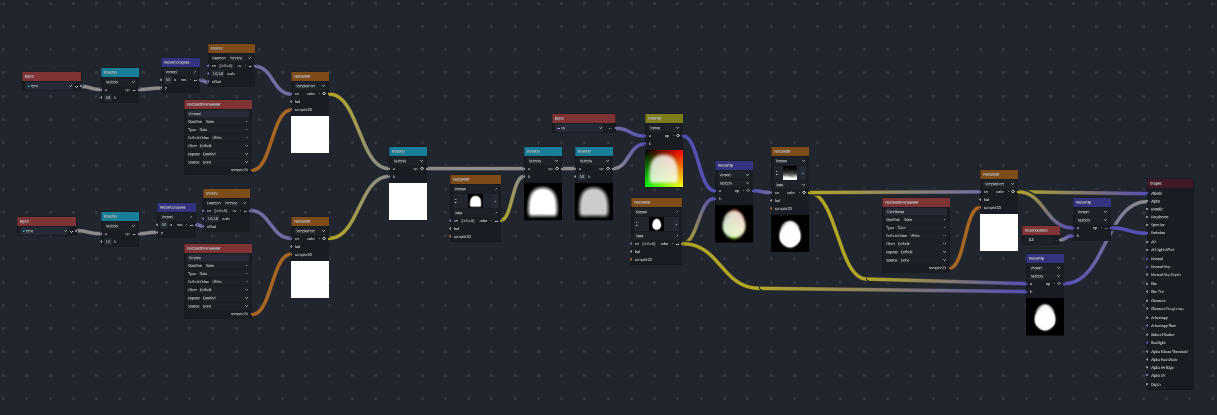
Most realistic fire in games is built from spritesheets exported from 3rd party physics simulation software. I wanted to experiment with a technique where noise is used indirectly to warp the UVs of layered hand painted textures to acheive a realistic flame animation with more painterly textures, without requiring any hand animation.
The embers are using particle systems, and hack into the spritesheet animation system of godots GPUParticle3D node to force each ember to use a different sprite from a spritesheet without animating.
Shader Graph
Hand Painted Textures


Cutoff Shader
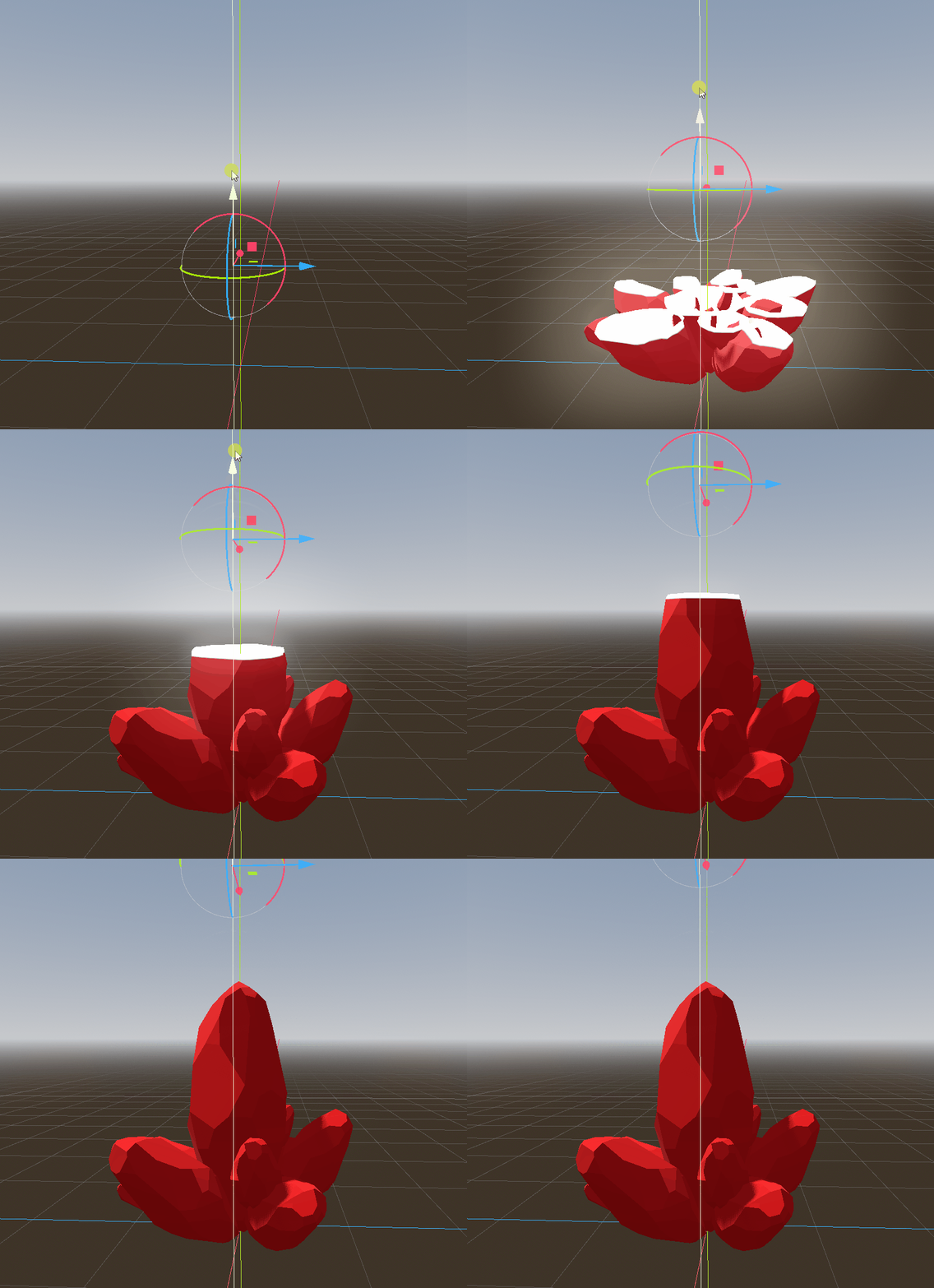
A relatively simple shader that procedurally bisects a mesh. The mesh is rendered as transparent, increasing overdraw, but takes the transform of a 3D marker node to calculate the intersection of an imaginary plane. Pixels are culled on one side of the plane, and a second drawcall paints the interior backface, creating the illusion of a sliced cross-section.
Cutoff Shader Source
shader_type spatial;#include "CutoffFunction.gdshaderinc"
uniform vec3 color : source_color;uniform vec3 borderColor : source_color;uniform mat4 cutplane;
varying vec3 wvtx;
render_mode cull_back;
void vertex() {  // Worldspace coordinates  wvtx = (MODEL_MATRIX * vec4(VERTEX, 1.0)).xyz;}
void fragment() {  float dist = cutDistance(-cutplane[1].xyz, cutplane[3].xyz, wvtx);  if (dist < 0.0) discard;
  float borderDist = smoothstep(0.0, 0.05, dist);  ALBEDO = mix(borderColor, color, borderDist);  EMISSION = mix(borderColor * 7.0, vec3(0.0), borderDist);}